Self-serve tools to enhance your own Xactimate supplements. Estimate Enhancer auto-detects IRC code references, attaches the code documents, batch-annotates your terms and links photos. Ice & Water Shield (IWS) and Roof Waste calculators come with extensive justification.
You upload your supplement PDF and Estimate Enhancer annotates it, so the adjuster can see what you added or revised and why. The photos, documents and code pages you reference are easy to find, right there in the file.
Faster approvals
Everything the adjuster needs to check a line item is in front of them, so supplements move faster.
Fewer adjuster calls
Clickable photo references and attached code mean fewer calls asking where something is.
Unlimited calculator reports
Every IWS and roof waste calculation can become a full-page custom PDF report, unlimited with your access.
What adjusters say: Adjusters tell us enhanced supplements are easier to review, because the photos, documents and code they need are right there. The feedback so far has been unanimously positive.
What you get
Four self-serve tools for the estimates, supplements and job paperwork you write, all included with your access.
Estimate Enhancer
Upload your Xactimate supplement PDF and download an enhanced copy.
Supplement and revision items annotated so they stand out
Photo references become clickable links, such as (Pg 8), that jump to the photo
IRC references highlighted, plus up to five custom highlight terms, each in its own color
Code pages attached automatically: a generated page with the text of each cited IRC section, added to the back of the PDF
Pick the IRC edition your estimate uses
No AI. Your estimate is processed on our own server by rule-based code. It's never sent to an AI service or used to train anything. Your files are deleted automatically when you click Start new.
Enter your own roof measurements and select a material type. You get a comprehensive, authoritative waste calculation that is as defensible as an Xactimate auto waste calculation, and more defensible than the suggested waste on measurement reports.
Laminated, 3-tab or wood, with open, closed-cut or woven valleys
Starter, cut cap and a shared-edge allowance you can switch on or off
A suggested waste percentage and quantity, rounded up to whole bundles, with Copy Note
Unlimited one-page PDF reports with your job, address and claim number
Recent calculations saved in your browser, ready to reload
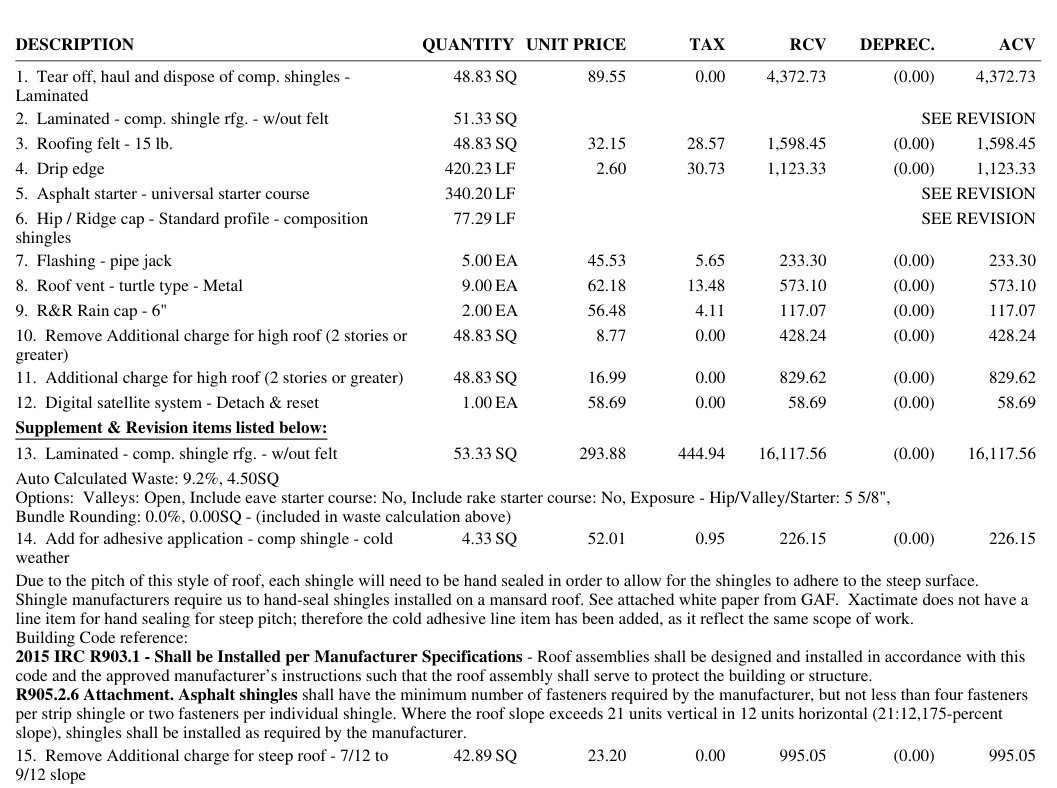
A sample supplement before and after you run it through Estimate Enhancer. Your quantities, prices and totals are never changed.
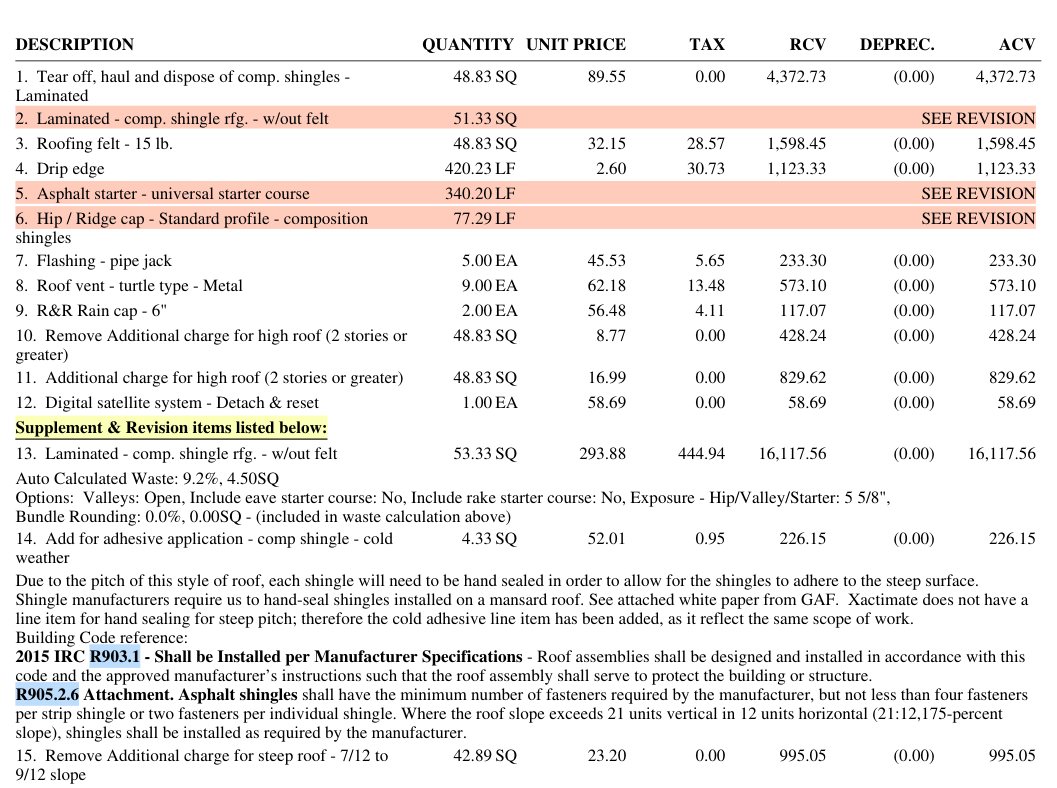
The highlighted words below are just samples. Highlighting is customizable for each estimate. Type the words or phrases you want marked into the Highlight Terms fields (up to five, each with its own color), and Estimate Enhancer highlights them throughout the estimate. Check Highlight Code References to mark every IRC reference too.
Supplement items that stand out
BeforeAfter
Revised rows marked SEE REVISION (laminated shingles, starter, and hip / ridge cap) are shaded, so the adjuster can see what changed.
The supplement block gets a yellow annotation: “Supplement & Revision items listed below.”
IRC references in the line-item notes, including R903.1 and R905.2.6, are highlighted in blue.
The pitch-chart photo reference becomes a clickable link, (Pg 7), that jumps to the photo page.
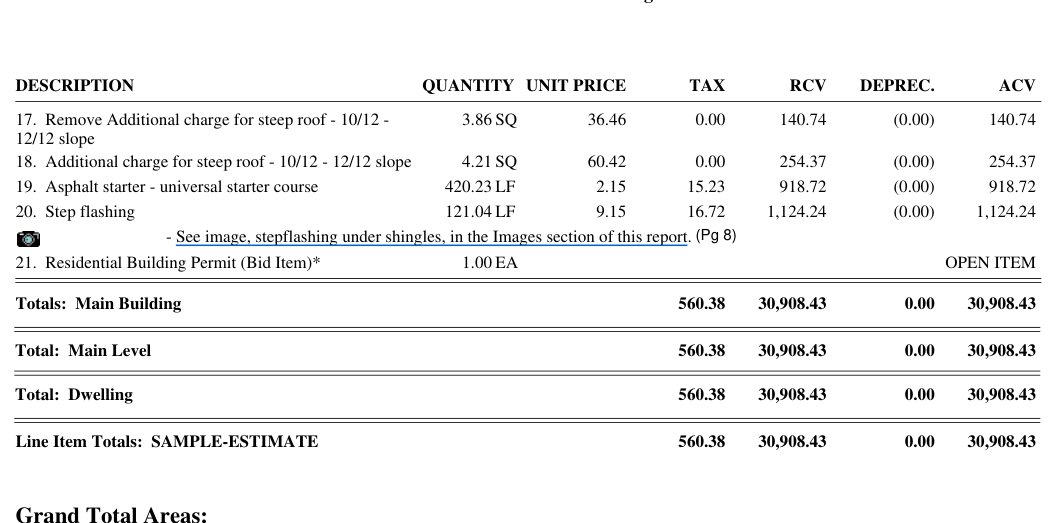
Photo references that click through
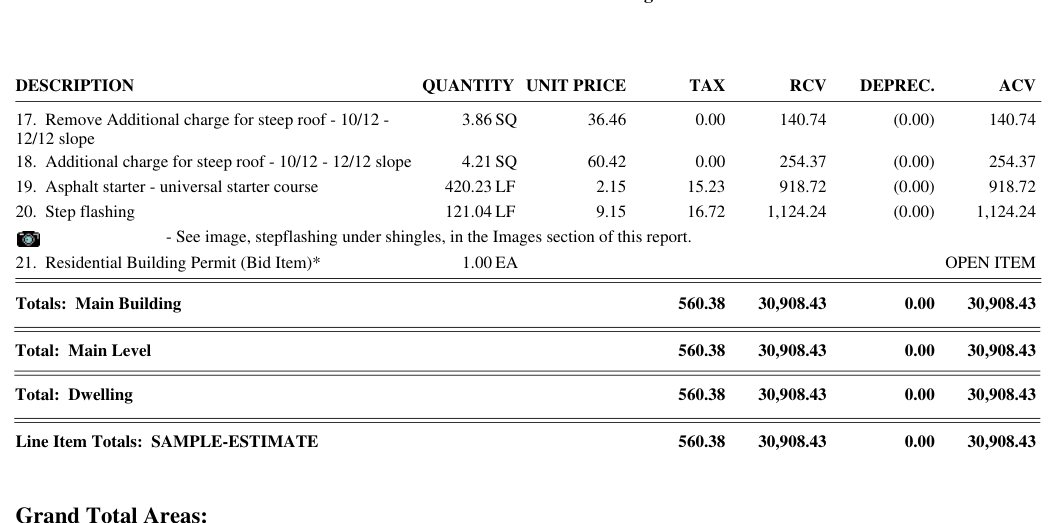
BeforeAfter
In the PDF: photo link and back
The step-flashing photo note becomes an internal link, (Pg 8). Click it in the PDF and it jumps to that photo at the back of the report, instead of leaving the adjuster to hunt through the images section.
On the photo page, click the photo (or "back to line item") to jump straight back to the line item that cited it, so the adjuster never loses their spot.
Quantities, prices, and totals stay as they were.
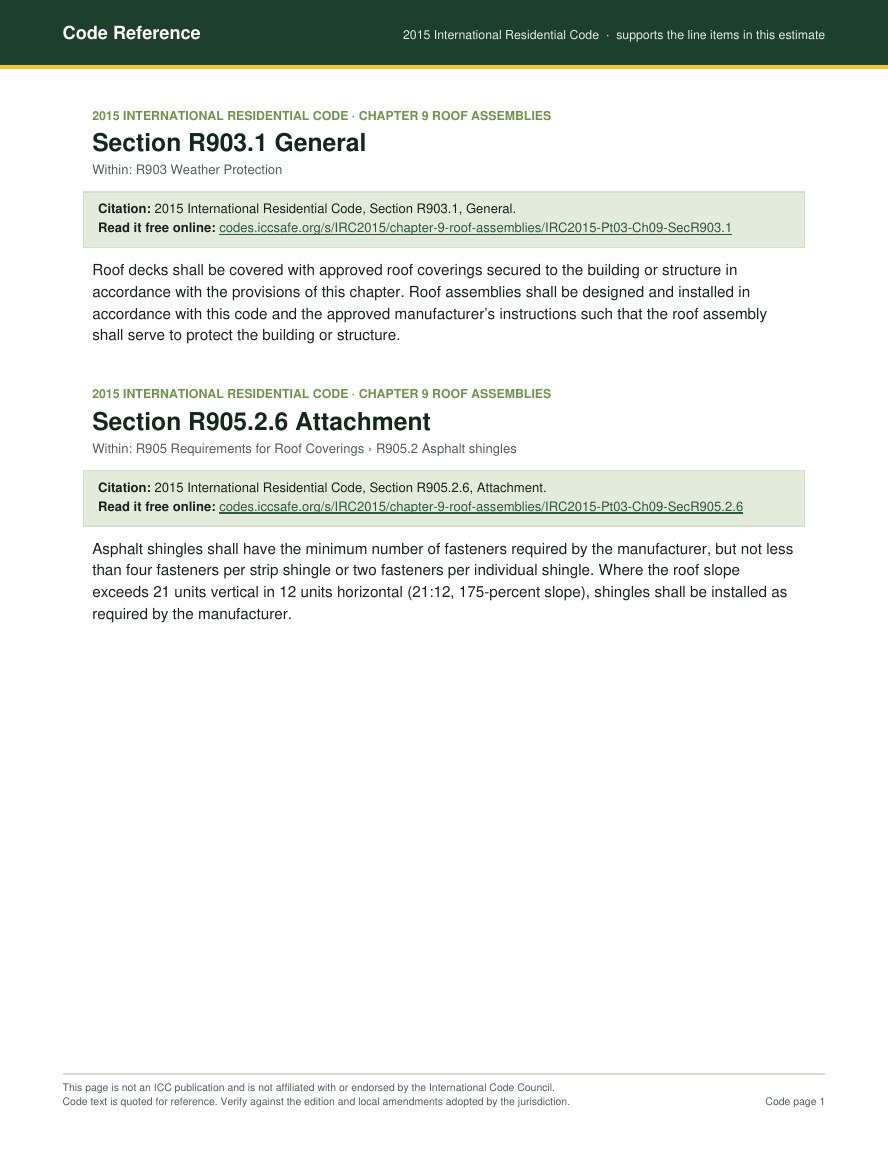
The cited IRC sections, appended to the back
After: a Code Reference page appended to the back of the enhanced file
Estimate Enhancer detects the IRC references and the code edition in the estimate and appends a page with the text of each cited section to the back of the PDF. You don't have to find, print or merge them yourself.
Here the estimate cites R903.1 and R905.2.6 of the 2015 IRC, so exactly those two sections are attached, each with a link to the free ICC text.
A real result from the IWS Calculator, which works out the ice and water membrane needed on eaves and valleys: code-compliant square footage with the math and a custom eave diagram. One click turns any calculation into a full-page custom PDF report, Actual SF or Full Roll with the IRC ice barrier text, unlimited with your access.
Results and breakdownEave diagram (downloadable)
Full-page PDF report: unlimited custom reports with your access
Sample calculation
Roof Waste Calculator output
A sample result from the Roof Waste Calculator, built from the roof measurements and material type the user entered: a defensible waste percentage and quantity, with the math behind it. One click turns any calculation into a one-page custom PDF report, unlimited with your access.
Results and waste breakdownOne-page PDF report
Sample roof: 23.92 SQ laminated, 183.49 LF eave, 97.72 LF rake, 10.51 LF hip, 18.5 LF closed-cut valley and 41.17 LF step flashing. Laminated shingles can't be used as eave or rake starter, so the eave and rake count as edge waste.
The math behind the percentage is shown, and the quantity rounds up to whole bundles. The report carries your job, address and claim number.
Sample documents
Photo Reports, Invoices and Certificates
Modern, customizable, branded photo reports, invoices and certificates of completion. Save your logo, accent color and company info once, then fill in the job and download a photo report, an invoice, a certificate of completion, or both documents as a zip.
Photo report PDF, 2 per pageInvoice PDF, numbered automaticallyCertificate of completion PDF
Photo reports use your branding too: 1, 2 or 4 photos per page, with optional captions under each photo.
Your branding is saved to your access, so every photo report, invoice and certificate looks the same without setting it up again.
Invoice numbers count up on their own. Type a number instead whenever you need to match your own books.
Price
Limited-time winter price
Regular price $79.99 $49.99 / 6 months
Winter price, through March 31, 2027. Regular price $79.99.
One-time payment, no auto-renew.
Estimate Enhancer, the IWS Calculator, the Roof Waste Calculator and Paperwork (photo reports, invoices and certificates) for 6 months. PayPal takes the payment. Your access token is shown on the next page and emailed to you.
Included
Estimate Enhancer, the IWS Calculator, the Roof Waste Calculator and Paperwork
Unlimited PDF reports
6 months from the day you pay
Easy guarantee
Try it on your next estimate.
If it doesn't save you time, email support@sherwoodestimates.com within 7 days from the email you used at checkout. We refund you in full, no questions asked.
Pay $49.99 once with PayPal (winter price through March 31, 2027; regular price $79.99), no automatic charge, and get a token good for 6 months. We email you 7 days before it ends, at the email you used at checkout.
Does Estimate Enhancer change my estimate?
No. It adds annotations, your highlight terms, photo links and code pages, and leaves line items and totals as written. Code pages quote the IRC edition your estimate cites, with a link to the free ICC text.
Is my estimate sent to AI? What happens to my files?
No AI. Your estimate is processed on our own server by rule-based code. It's never sent to an AI service or used to train anything. Your files are deleted automatically when you click Start new.
What does the Roof Waste Calculator do?
You enter your own roof measurements and select a material type. It calculates a comprehensive, authoritative waste percentage, as defensible as an Xactimate auto waste calculation and more defensible than the suggested waste on measurement reports.
Which PDF reports do I get?
Your enhanced estimate PDF, unlimited calculator and photo report PDFs with your job, address and claim number, and your own branded invoices and certificates of completion while your access is active.
Can I use it on more than one device?
Yes, up to 2 devices at a time, like an office computer and a laptop. Signing in on another device signs out the one used least recently.
Lost token or want a refund?
Email support@sherwoodestimates.com from the email you used at checkout and we resend the same token. Email within 7 days of paying for a full refund.